
For a B&B, guesthouse, inn or small hotel, room pages are often where a potential guest gets closest to making a booking decision.
They may already like the property. The location works for their trip. The reviews are good. Now they need to answer a more specific question:
Which room should I choose?
Your website should make that decision simple.
Guests should be able to compare rooms, understand the differences between them and see exactly what they can expect when they arrive.
Here is how to present rooms clearly and effectively on a small hospitality website.
Start with a clear rooms overview
Before visitors open individual room pages, give them an easy way to see the available options.
A rooms page can use a simple grid of cards showing each room or room type. Each card should provide enough information for the visitor to understand the main differences without becoming overloaded.
A useful room card might include:
- room name;
- one strong photograph;
- bed type;
- maximum occupancy;
- one or two important features;
- a link to view the room.
For example:
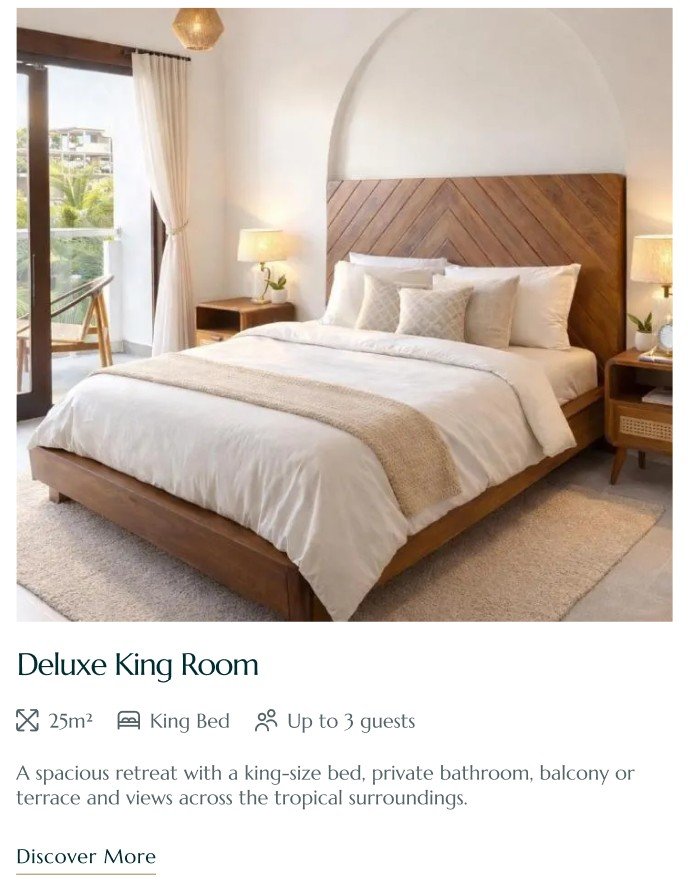
The Garden Room
King bed · 2 guests · Private patio
View room →
If you have only four or five individually designed rooms, show each one. If you operate a larger small hotel with several identical rooms, grouping them by room type may make more sense.
The goal is to help guests narrow down their options quickly.
Give each room its own page
For properties where rooms differ significantly, individual room pages are worth creating.
This is particularly important for B&Bs and historic inns, where one room may have a king bed and mountain view while another has twin beds, a balcony or a larger bathroom.
A dedicated page gives you enough space to present those differences properly.
It also gives you a direct URL for each room that you can use in emails, social media, Google results or advertising.
A room page should usually contain the room name, photography, short description, essential details, amenities and a clear booking or availability action.
Keep the structure consistent across all room pages so guests can compare them easily.
Lead with strong room photography
Guests want to see the room they are considering booking.
Use a strong primary image near the top of the page, followed by a gallery that shows the room from several useful perspectives.
Include photographs of:
- the complete sleeping area;
- the bed;
- bathroom;
- seating or workspace;
- view;
- balcony, patio or private outdoor area;
- distinctive details that matter to the stay.
Wide photographs that show the layout are especially useful. A collection of close-up photos of pillows, lamps and decorative objects may look attractive but tells the guest very little about the actual space.
Photography should help visitors understand what the room looks and feels like as a whole.
Keep each room gallery accurate
Avoid mixing photographs from different rooms unless this is clearly explained.
If someone is viewing the Garden Room, they should be confident that the bathroom, balcony and view shown on the page belong to that room.
For small independent properties, that clarity can be a significant trust signal.
Make the key room details easy to scan
Guests should not have to read several paragraphs to discover whether a room has a private bathroom or accommodates three people.
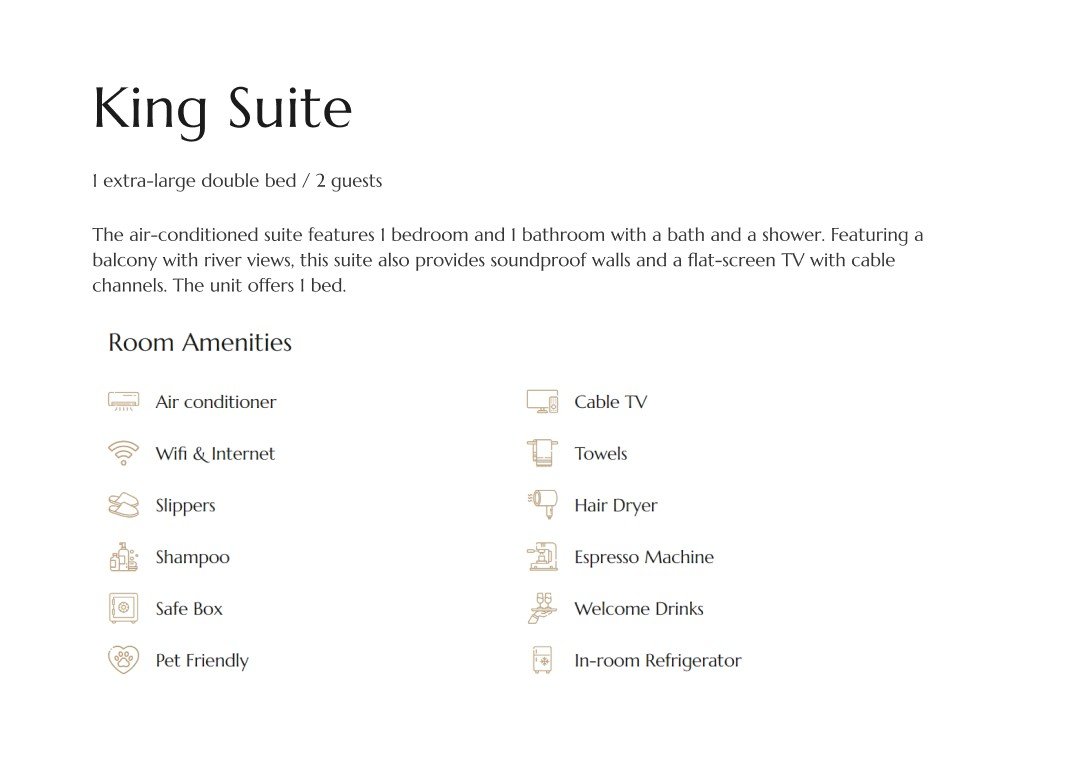
Place the essential facts near the top of the page.
For example:
2 guests · King bed · Private bathroom · Garden view
You can then provide more detail below.
Depending on the property, useful information may include:
- occupancy;
- bed configuration;
- private or shared bathroom;
- room size;
- floor;
- view;
- air conditioning;
- accessibility;
- balcony or terrace;
- pet-friendly status.
Icons can work well here, but keep them simple and always make sure the meaning is clear.
Describe what makes each room different
Generic room descriptions make comparison difficult.
If every page says that the room is comfortable, beautifully decorated and perfect for a relaxing stay, the guest still does not know which one to choose.
Focus on the actual differences.
Perhaps one room receives morning light and overlooks the garden. Another is the largest room in the house. Another has direct access to the porch. One may be quieter because it is at the back of the property.
These details help guests find the room that fits their priorities.
They also give the property more personality than a standard list of amenities.
Organize amenities instead of creating a long list
Amenities are important, but a long unstructured list can quickly become difficult to scan.
Group them when necessary.
For example:
Room
King bed, seating area, air conditioning, Wi-Fi
Bathroom
Private bathroom, walk-in shower, hairdryer, toiletries
Included with your stay
Breakfast, parking, Wi-Fi
You do not need to repeat every property-wide amenity in detail on every room page. Shared information can live elsewhere on the website, provided it is easy to find.
Make availability and booking obvious
Once a guest has found the right room, the next step should be immediately clear.
Depending on your setup, the primary call to action could be:
Check availability
Book this room
Book on Booking.com
Send an enquiry
Place it near the main room information and repeat it naturally further down longer pages.
If you use Booking.com or another third-party reservation platform, the room page can still do most of the presentation work before sending the guest there to complete the reservation.
Try to send visitors as close as possible to the relevant room or availability results rather than forcing them to start their search again.
Show reviews where they can support the decision
A relevant guest review can work particularly well on a room page.
For example, if previous guests repeatedly mention the view, comfortable bed or quiet location, one of those reviews can reinforce the information already shown on the page.
You do not need to place a large testimonials section beneath every room.
One strong, relevant review may be enough.
Do not forget the mobile experience
Room pages are highly visual, so they need particular attention on mobile.
Check that:
- galleries are easy to swipe;
- important room details appear early;
- text remains readable;
- amenity lists do not become excessively long;
- booking buttons are easy to tap;
- external booking pages open correctly.
A guest browsing several rooms on a phone should be able to move between them without repeatedly returning to the main navigation.
Adding Previous room / Next room links or a small Explore other rooms section can help.
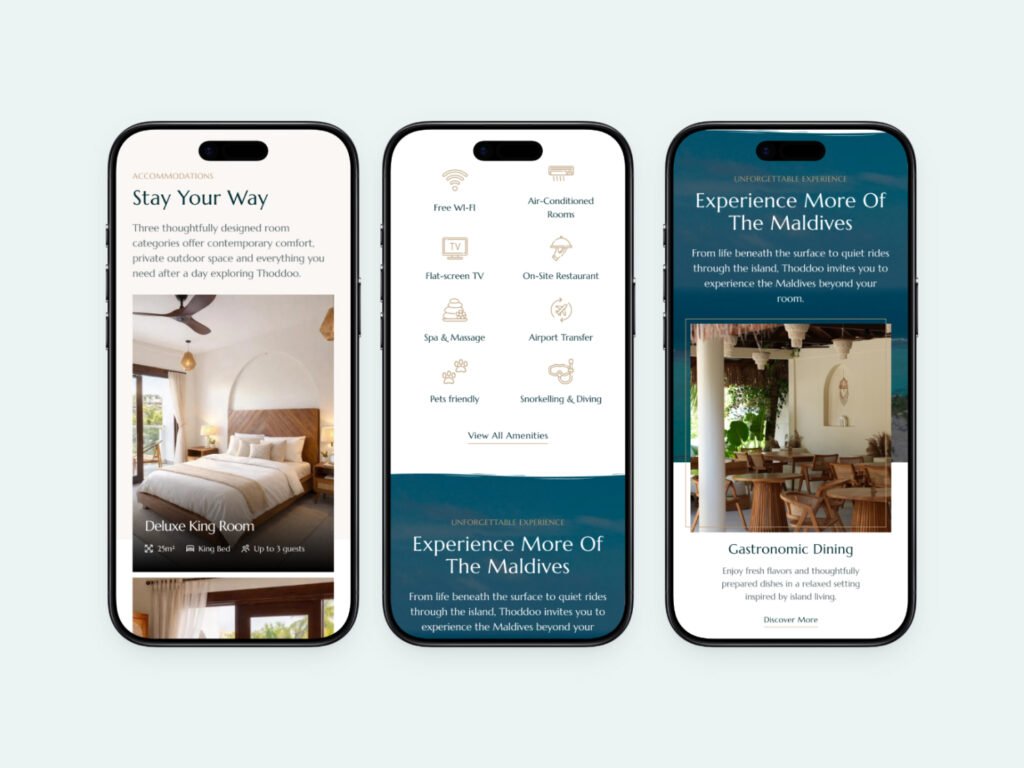
Help guests compare without overwhelming them
The best room presentation gives guests enough information to feel confident without making the process feel complicated.
A simple journey might be:
View rooms → Compare the main options → Open a room → Explore photos and details → Check availability
For a small B&B or inn, this can be much more effective than trying to reproduce the complex booking interface of a large hotel website.
Your property may only have five rooms. Use that simplicity to your advantage.
Each room can have its own identity while still being presented within a clear, consistent website structure.
Make the room feel as good online as it does in person
For many guests, the room page is the closest they can get to experiencing your property before they arrive.
Clear photographs, useful details and an easy booking path help turn interest in the property into confidence about a specific room.
If you are planning the rest of your hospitality website as well, read What should a good B&B website include? for a broader look at the pages and information that help guests make their decision.
Need a better way to present your rooms?
I design and build websites for independent B&Bs, inns, guesthouses and small hotels, with room pages structured around clear information, strong photography and an easy path to booking or enquiry.
Tell me about your project